How Menu works
a person.
a table.
a time that works.
Menu is a dinner-first dating app. Discover people and places you’d like to get to know, then make a plan to meet over dinner.
New York City18+iPhone beta
From a first look to a dinner planGive the first date a place to start.
Find your person.
Build a profile around who you are, what you enjoy and when you’re free. Explore people and shared interests.
Pick a place.
Browse restaurants and neighborhood picks. Save the places you’d like to try and choose somewhere for your date.
Make a dinner plan.
Send a request with an available reservation. Accepting the request confirms a reservation on the sender’s booking account. Once they accept, start chatting and meet for dinner.
Accepting a request confirms a reservation on the sender’s booking account. Check the booking details before heading out. If the status is pending or unclear, contact Menu Support before trying again.
Inside the app
Somewhere worth meeting.
A look at restaurant discovery in the Menu beta.
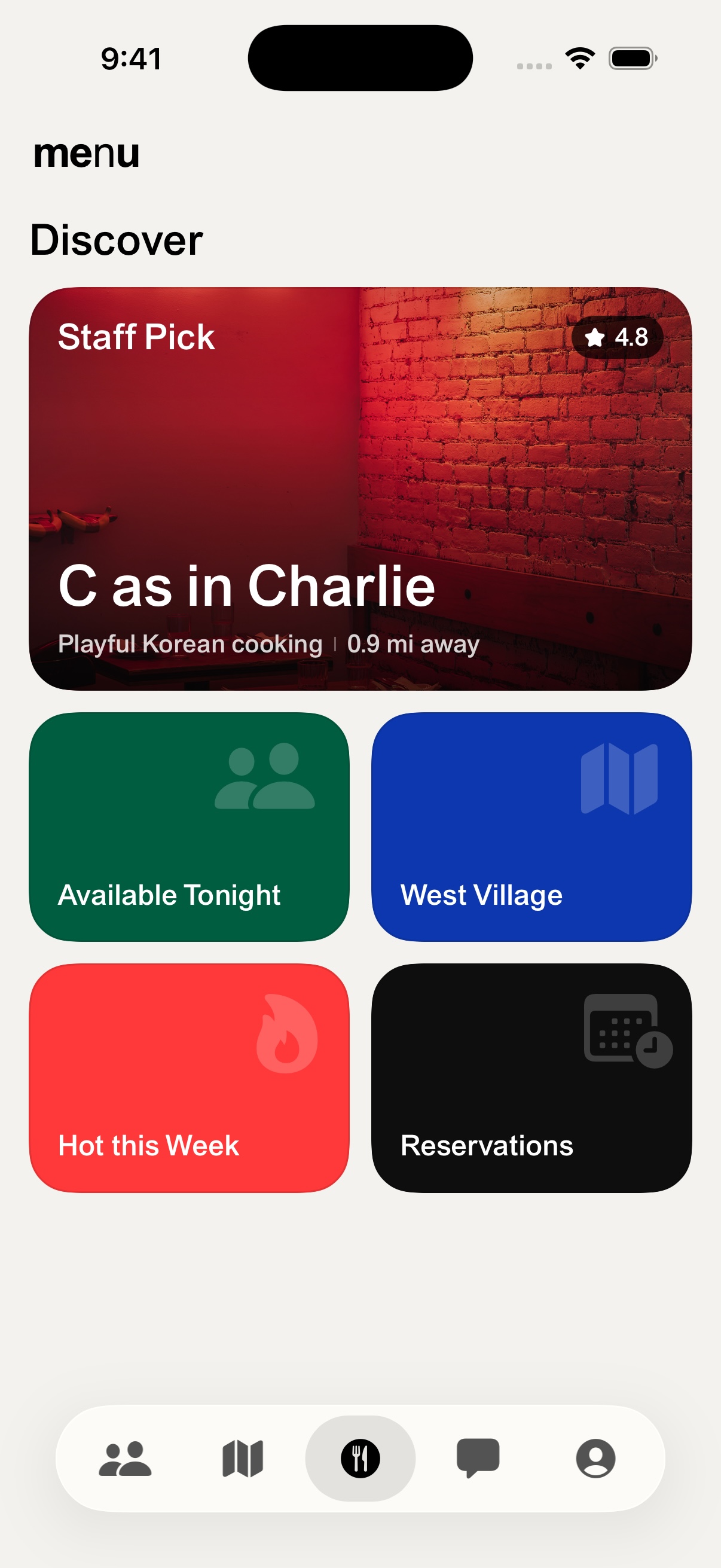
Find a new favorite.
Explore restaurant picks in Discover.
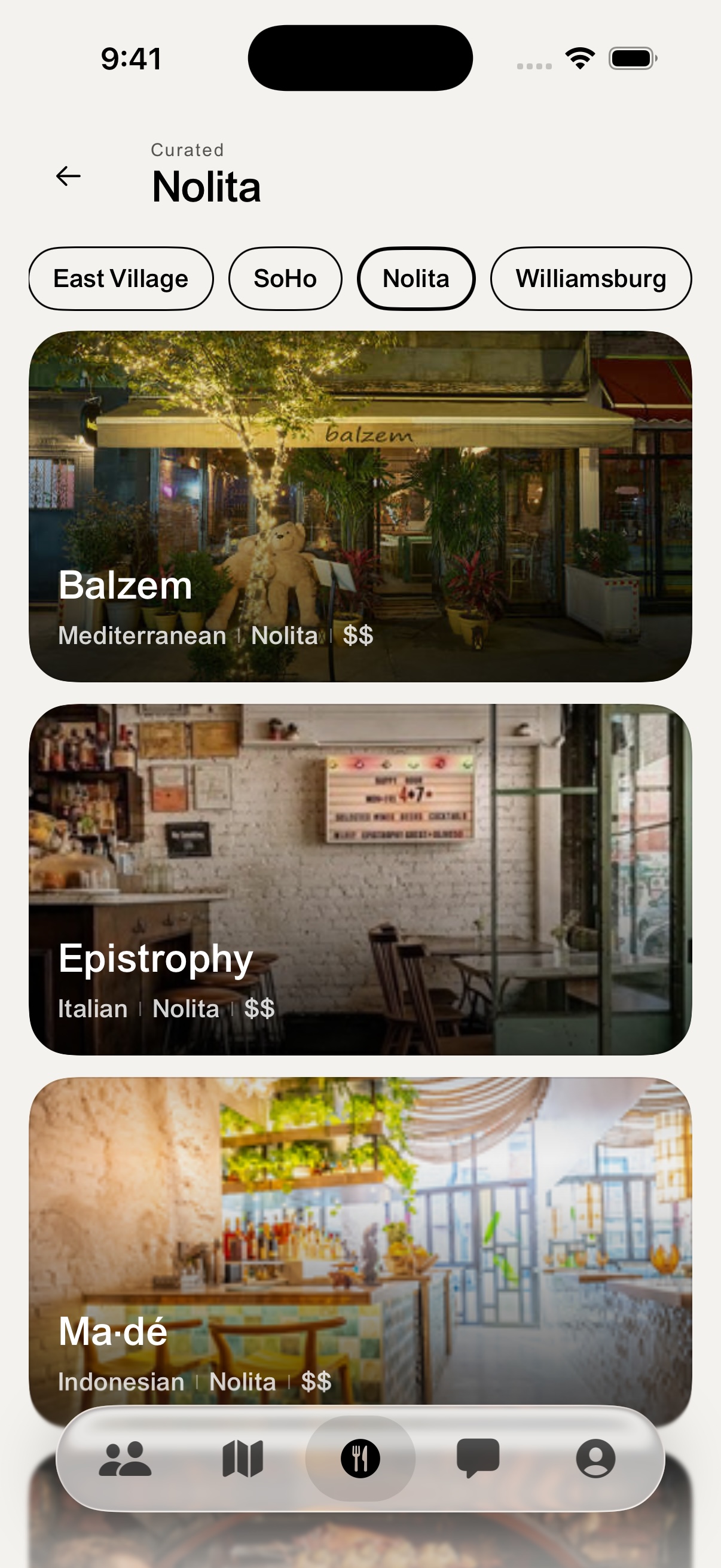
Get to know a neighborhood.
Find places in the part of town you have in mind.
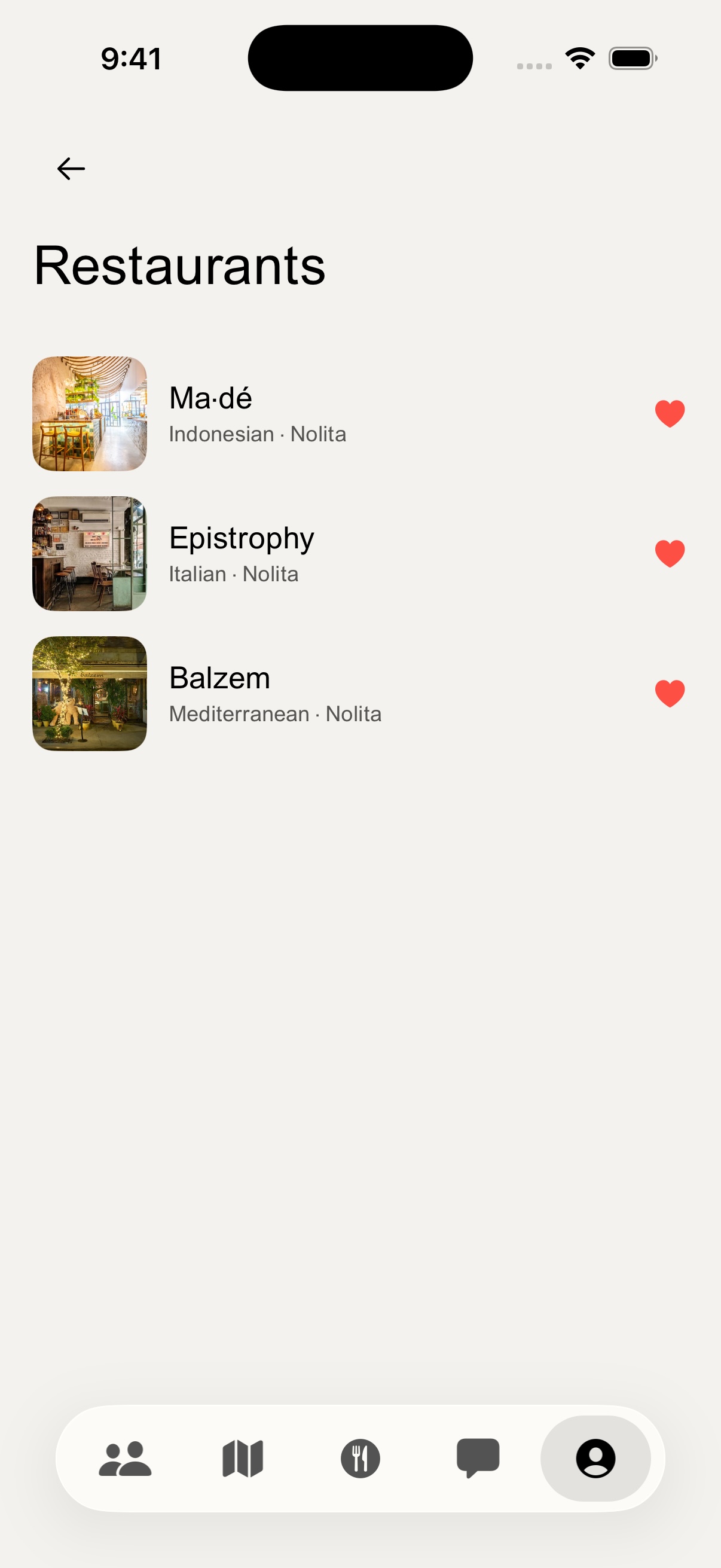
Keep a few ideas ready.
Save restaurants you’d like to try.
Actual beta app screens. Restaurant details, features and availability may change.
A few things to know
Before you pull up a chair.
Where can I use Menu?
Menu is starting in New York City for adults 18 and older. It is currently an iPhone beta distributed through TestFlight. Request the beta link by email. Access to features can depend on your account, location and beta version.
Does accepting a date book a table?
Yes. Accepting a request confirms a reservation on the sender’s booking account. Check the booking details and provider confirmation before travelling.
What costs money?
Menu may offer optional paid features, including Menu Reserve. The app shows the price and included benefits before purchase. Meals, restaurant deposits and cancellation or no-show fees are separate. Check the restaurant’s terms before confirming a booking. No purchase guarantees a match, date or reservation.
What if my plans change?
You can cancel or propose a change of plans inside Menu. Check the updated booking status and follow any additional instructions in your provider confirmation. Unmatching or deleting a chat does not cancel a restaurant booking. For an unclear booking status, contact Menu Support before trying again.
How do I report a concern?
Use the app’s report and block controls or contact Support. Read our dating safety guidance and community guidelines before meeting. Menu is not an emergency service.
Can I delete my account?
Yes. In Menu, open You, then Legal & safety, then Delete account. Follow the verification steps in the app. See account deletion instructions, including help if you cannot sign in. Account deletion does not cancel an Apple subscription or a restaurant reservation.
Somewhere new, with someone new.
Meet you at the table.
Join the iPhone beta and get to know Menu.
Get the beta link